
Bookmark folders that file themselves.
Save links directly from Safari in one tap. Smart AI suggestions categorize your reading list into clean, custom folders with amber unread indicators.
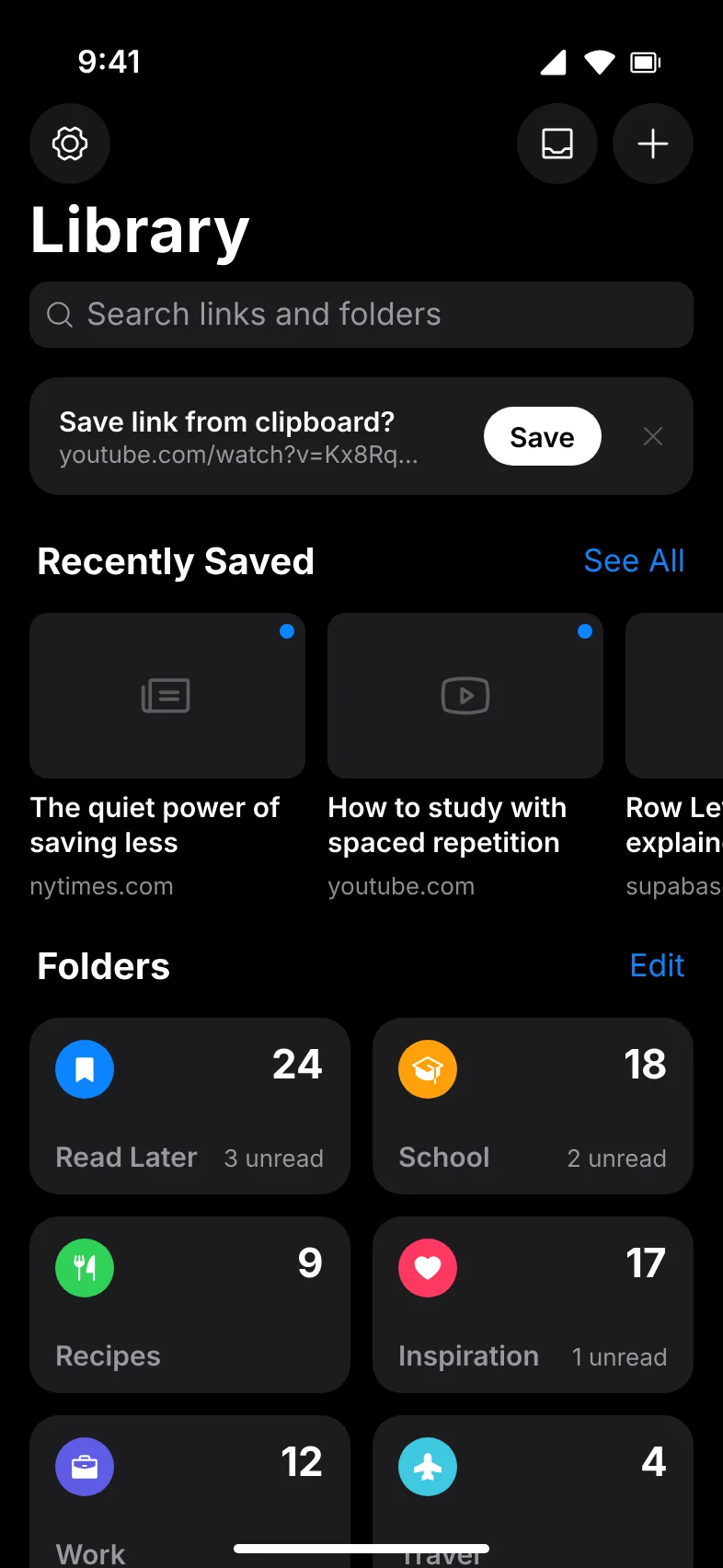
Pocket Library: totals, search, recent carousel, and custom folder tiles.
Built for fast saving and calm reading.
LinkPocket removes the friction from bookmarking so you can preserve valuable articles, recipes, and references without cluttering your tabs.
Native Share Extension
Save any link straight from Safari or other apps via the native iOS Share Sheet. LinkPocket generates an OpenGraph preview and handles filing without switching away from what you're reading.
Smart Category Suggestions
When saving, TypeSafe Jev analyzes webpage metadata (title, description, and domain) against your folders to suggest the exact category with a visible confidence meter.
Read & Unread Tracking
Every new bookmark defaults to unread with a distinct amber dot. Tapping a link marks it as read, while the unified Unread queue aggregates pending reads across all folders.
Custom Folders & Swatches
Organize your library with 10 curated Apple system colors (Blue, Red, Orange, Green, Teal, Indigo, and more) and tailored icon glyphs. Folders can be displayed as a 2-column tile grid or a grouped list.
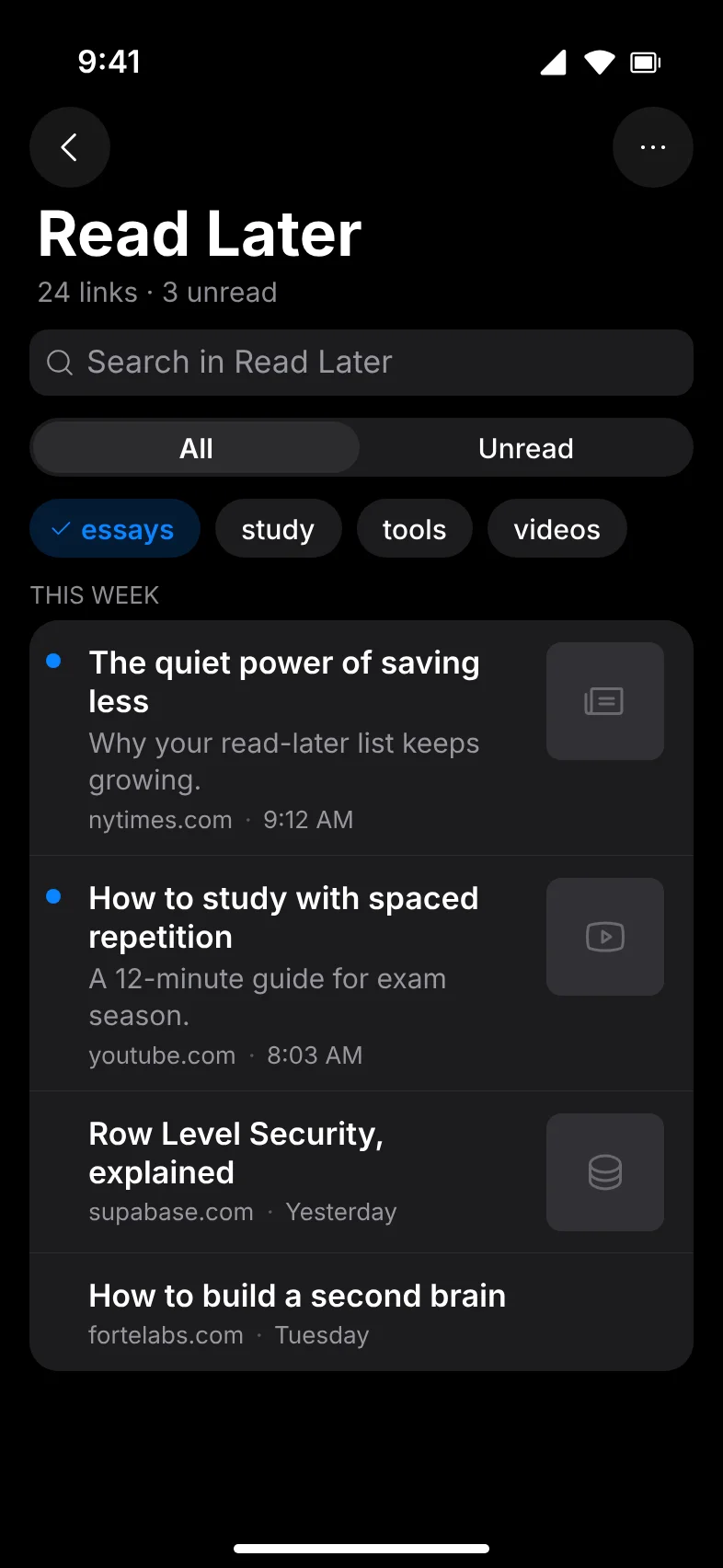
Search & Month Stepper
Find saved links instantly by title, description, or domain. In each folder, jump through history with the month stepper or filter by custom tags and unread status.
Data Ownership & Export
Your bookmarks belong to you. Export your entire library at any time as universal Netscape HTML (supported by Safari, Chrome, and Firefox) or raw JSON. No platform lock-in.
Desktop Extension Bridge
Keep your desktop browser aligned with LinkPocket using the Manifest V3 browser extension for Chrome, Edge, and Brave with dedicated folder synchronization.
Zero Ads & Commercial Trackers
LinkPocket contains zero third-party tracking frameworks, analytics trackers, or advertising SDKs. Data is protected with Postgres Row Level Security.
How LinkPocket works
Designed to fit seamlessly into how you already browse on iOS.
Save from Safari or Clipboard
Tap Share in Safari and select LinkPocket, tap the clipboard banner when copying any link, or trigger the Control Center shortcut. LinkPocket extracts preview metadata automatically.
AI Suggests the Destination
The TypeSafe Jev AI engine evaluates your folders and suggests the right category. Confirm with one tap, pick another folder, or create a new category inline.
Read, Filter & Stay Organized
Open your Unread feed when you have reading time. Tapping an item marks it read. Search across your library or export your bookmarks whenever you choose.
Authentic Dusk Glass interface
A flat near-black canvas with Liquid Glass chrome on iOS. High-contrast typography and thoughtful ergonomics.
Pocket Home
Folder tiles, search, and recent saves.
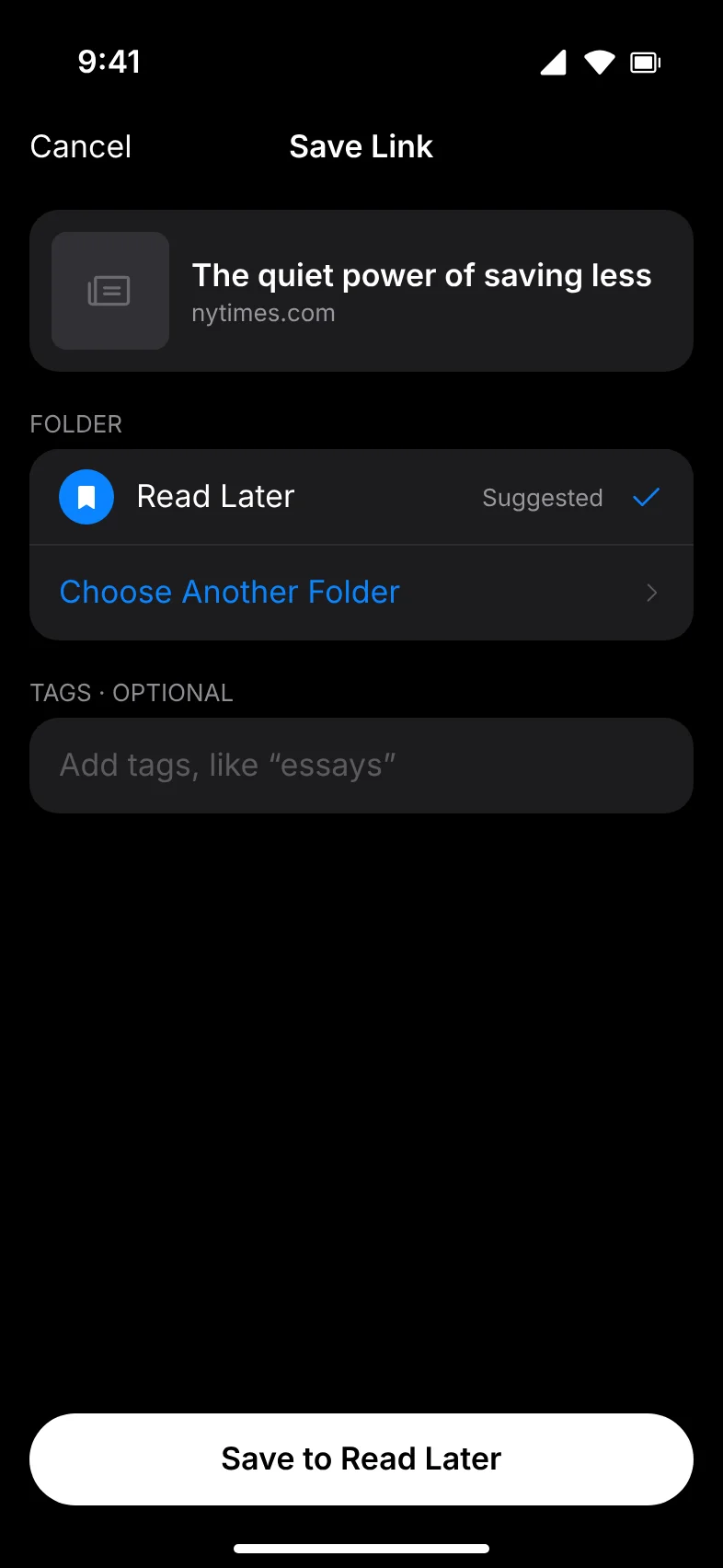
AI Category Suggestion
Smart categorization with confidence score.
Folder View
Month stepper, tag pills, and unread dots.
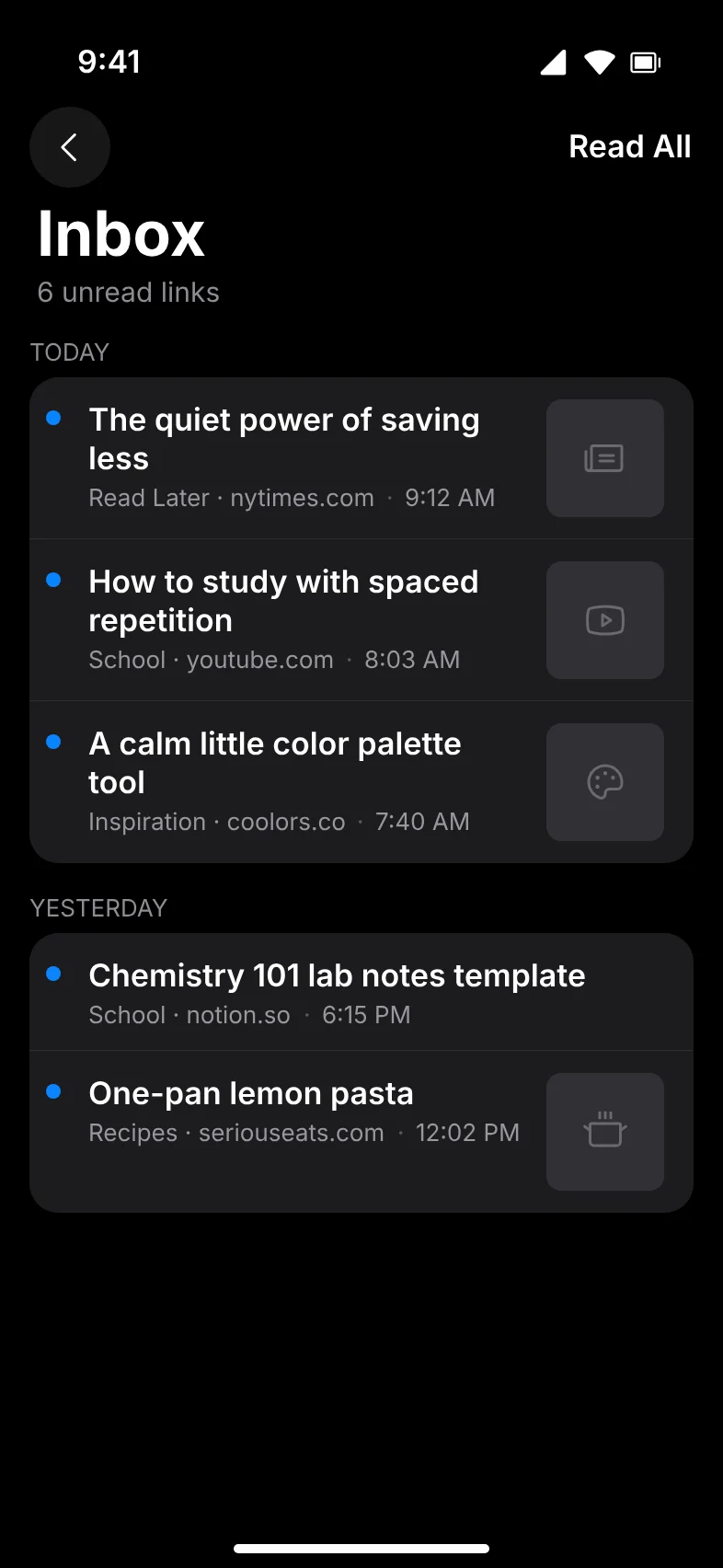
Unread Feed
All pending links across your folders.
Free to download. Upgrade when you're ready.
All prices verified directly in App Store Connect. Handled securely by Apple StoreKit 2.
LinkPocket Free
Core bookmarking and folder organization for everyday reading.
- Save links via iOS Share Sheet
- Create custom folders with colors & icons
- Amber read & unread indicators
- Fast search across titles & URLs
- Universal Netscape HTML & JSON export
- Zero ads, zero commercial tracking
LinkPocket Pro
Advanced AI categorization, desktop browser extension sync, and unlimited flow.
- Everything in Free
- TypeSafe Jev AI category suggestions
- Chromium browser extension two-way sync
- Month stepper & advanced tag filtering
- 7-day free trial on both Annual and Monthly
- Priority support & ongoing improvements
Subscriptions renew automatically unless cancelled at least 24 hours before the end of the current period. Manage or cancel anytime in your Apple ID account settings. Prices are shown in USD and may vary by country/region.
Answers to common questions
You can save links through the native iOS Share Sheet from Safari and other apps, by copying any URL and tapping the clipboard prompt in LinkPocket, using the iOS 18 Control Center shortcut, or through the LinkPocket desktop browser extension.
When you save a link, LinkPocket analyzes the link title, description, and domain to suggest the most appropriate folder from your collection using AI categorization powered by TypeSafe Jev (with a heuristic keyword fallback). You can accept the suggestion, pick another folder, or create a new folder on the spot.
Yes. Every folder supports custom icon glyphs and Apple system color swatches (Blue, Red, Orange, Yellow, Green, Teal, Indigo, Pink, Brown, Gray) so you can distinguish categories at a glance.
Yes. You can export your entire bookmark collection at any time from Settings as a standard Netscape HTML bookmark file (compatible with Safari, Google Chrome, Mozilla Firefox, and other desktop browsers) or as a structured JSON archive.
No. LinkPocket contains zero third-party advertising networks, zero commercial tracking SDKs, and does not sell personal information. All bookmark data is protected via Postgres Row Level Security (RLS) scoped to your account.
You can delete your account and all associated bookmarks and folders directly from Settings inside the app. Deletion is immediate and permanently removes all your data from our database.
Clean up your reading list now.
Download LinkPocket free on the App Store and start organizing bookmarks with effortless AI categorization.